01Why subscriptions are easy to lose track of
A subscription asks nothing of you after the first sign-up. There is no checkout, no paper receipt and often no email. The charge lands on a statement under a short billing name that may not match the app, and a yearly plan shows up once, eleven months after you last thought about it.
So this method doesn't rely on memory. It works through the four places a recurring charge leaves a trace: your card and bank statements, the App Store and Google Play lists, your email, and receipts from shops that sign you up at the counter. Set aside an hour or two. You end with one table of everything you pay for and a decision on each line.
02Step 1: comb your card and bank statements
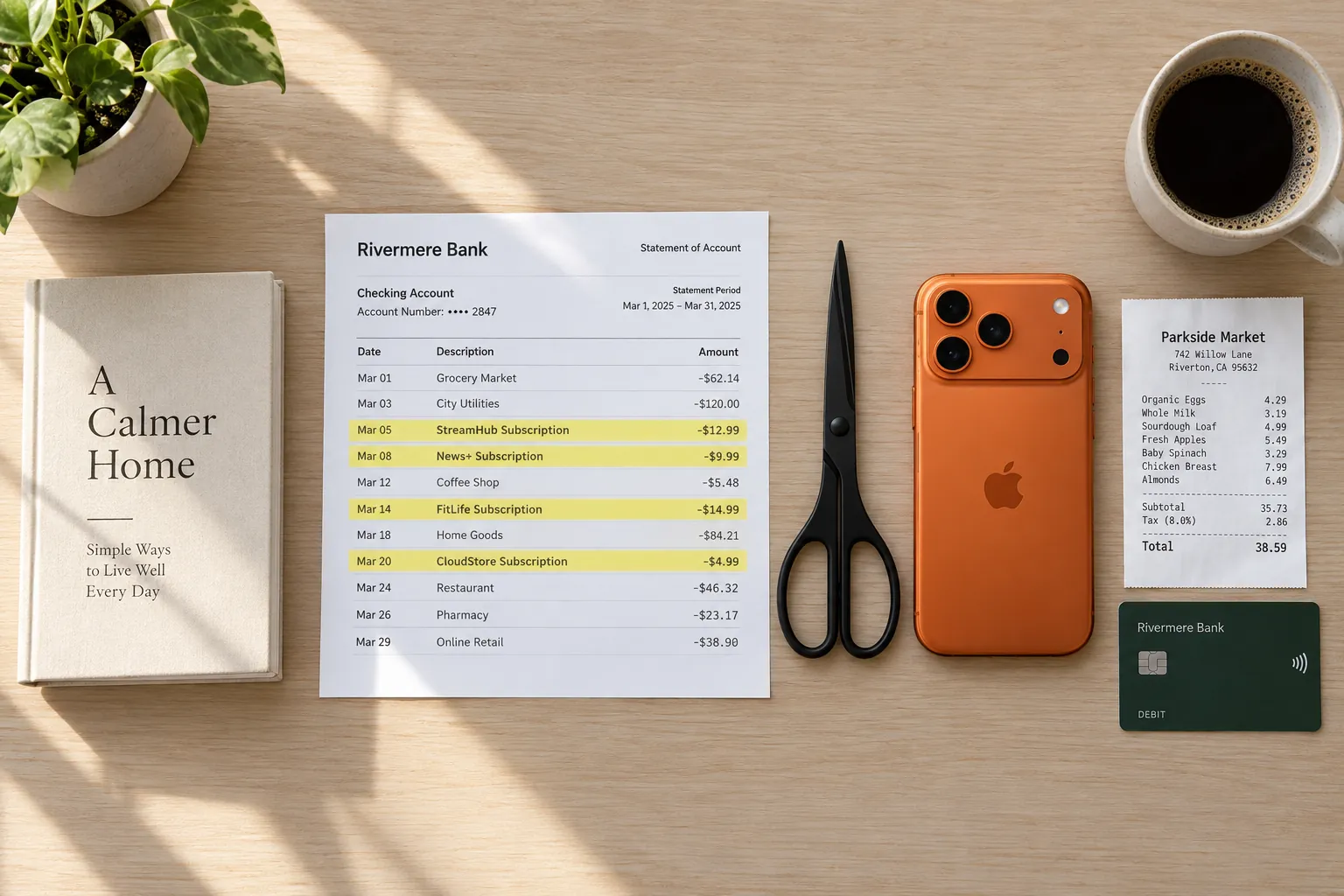
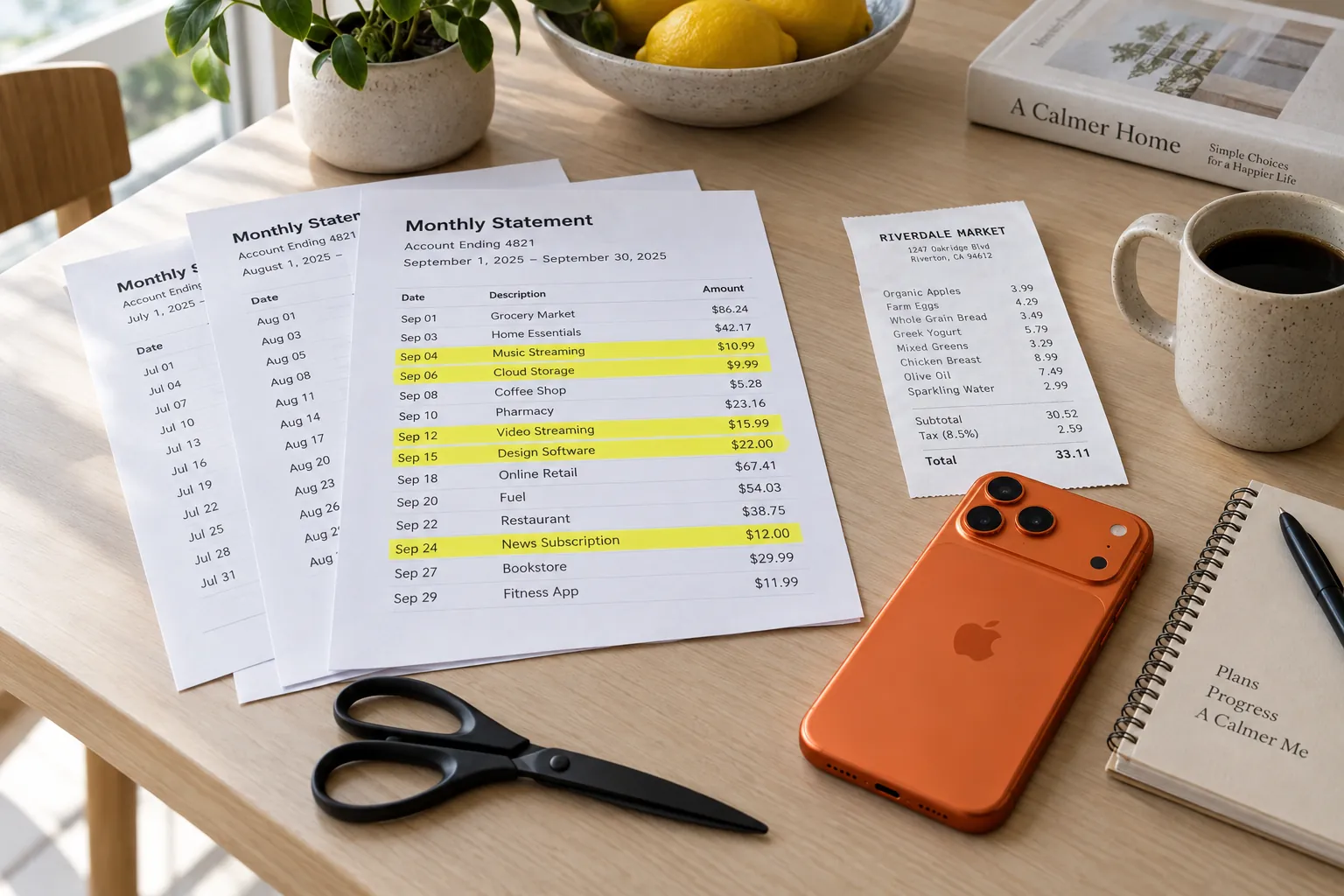
Download or print the last three months of statements for every card and bank account that pays for anything. Three months catches everything billed weekly, every two weeks or monthly. For yearly plans, search the last 12 months; most statement sites let you search by description.
- Start with charges that repeat: the same name on roughly the same day each month, usually for the same amount.
- Mark the small ones. A $2.99 or $4.99 charge is easy to skim past, and it is where forgotten apps tend to live.
- Mark charges from app stores and payment services. One App Store or Google Play line can stand for several subscriptions, so you open those lists in step 2.
- Mark any name you don't recognize, then look it up. Billing names are often a shortened version of the brand.
- Cover every card, including old ones still saved with a service, and any card in a partner's name that pays for something you share.
Apple's help page gives the same advice when a subscription isn't in your Apple list: check your bank or credit card statement to find out which company bills you. Write down each recurring charge you find with its amount, the date it last billed and the card it hits.
03Step 2: open your App Store and Google Play lists
Subscriptions bought inside an app are usually billed by the store, not the app maker, so you manage them in the store's subscription list. Each store keeps that list in one place.
On iPhone, iPad or Mac
From Apple's page on canceling a subscription: open Settings, tap your name, then Subscriptions. Tap the subscription, then Cancel Subscription. On a Mac, open the App Store, click your name at the bottom of the sidebar, click your name again, then Subscriptions. You can also sign in at account.apple.com.
Two details from that page are worth knowing. If there is no Cancel button, or you see an expiration message in red, the subscription is already canceled. And if you are on a free trial you don't want to keep, Apple says to cancel at least 24 hours before the trial ends.
On Android
From Google Play's help page: go to your subscriptions in Google Play, select the one you want to end, tap Cancel subscription and follow the instructions. On a computer, click Manage first. Some apps also offer Pause payments under Manage, which stops billing for a set time, from one week to three months depending on the app, without ending the subscription.
Check every account you have used, such as an old Apple Account or a second Google account. Apple also notes that you can't cancel a family member's subscription. The person whose account appears on the receipt has to do it.
04Step 3: search your inbox and your receipts
Some subscriptions never touch an app store. They bill your card straight from a website sign-up. Search your email for renew, renewal, trial, subscription, membership and receipt, going back 12 months. Look at the senders, not only the subjects. A welcome email from a sign-up you forgot is a good clue.
Paper receipts count too. Shops sign people up at the counter for delivery passes, memberships and protection plans, and the first month is often free, so the line that starts the charge costs nothing that day. Here is what that looks like.
Maple Street Market
Sun 6 Sep · 10:41
| Item | Category | Price |
|---|---|---|
| Whole milk 1 gal2 @ 3.89Food & Dining | Food & Dining | $7.78 |
| Bananas2.14 lb @ 0.69/lbFood & Dining | Food & Dining | $1.48 |
| Sourdough loafFood & Dining | Food & Dining | $5.49 |
| Eggs large 12 ctFood & Dining | Food & Dining | $4.29 |
| Delivery Pass 30-day trialRenews 10/06 at 9.99Subscriptions | Subscriptions | $9.99 |
- Subtotal
- $29.03
- Trial credit
- -$9.99
- Total
- $19.04
Card ending 4417
The groceries come to $19.04, and the pass adds nothing because the $9.99 trial credit cancels it out. The pass is still the line to write down. It renews on Tuesday, October 6 at $9.99 a month, which is $119.88 a year, unless you cancel first. Put it on your list now with that date, because the next place you would see it is your card statement.
If you keep receipts in a folder or an app, go through the last few months for lines like this one. The guide to organizing your receipts sets up a filing system that makes this search quick.
05Step 4: put every subscription in one worksheet
Move everything into one table: a spreadsheet, a note or a sheet of paper. One row per subscription, with what it is, where it bills, the price, the cost per month and per year, when you last used it, and your decision. The yearly column is the one that changes minds. Divide a yearly price by 12 for its monthly cost, and multiply a monthly price by 12 for its yearly cost.
| Subscription | Bills through | Price | Per month | Per year | Last used | Decision |
|---|---|---|---|---|---|---|
| Video streaming | Visa | $15.49 monthly | $15.49 | $185.88 | This week | Keep |
| Second video service | App Store | $7.99 monthly | $7.99 | $95.88 | June | Cancel |
| Music streaming | Google Play | $10.99 monthly | $10.99 | $131.88 | Today | Keep |
| Gym | Visa | $39.00 monthly | $39.00 | $468.00 | Twice last month | Downgrade |
| News site | Mastercard | $119.00 yearly | $9.92 | $119.00 | Rarely | Cancel before renewal |
| Delivery pass | Visa | $9.99 monthly after trial | $9.99 | $119.88 | Once | Cancel before Oct 6 |
| Cloud storage | App Store | $2.99 monthly | $2.99 | $35.88 | Daily photo backup | Keep |
| Total | $96.37 | $1,156.40 |
Figures from the example worksheet above. Highlighted bars are the three marked for canceling.
Sorted by yearly cost, the list reads differently. The gym is the biggest line by far, and the three small subscriptions marked for canceling come to $334.76 a year between them.
06Step 5: decide to keep, downgrade, pause or cancel
Go down the worksheet one row at a time and ask each line the same questions.
- Would you sign up again today, at this price? If not, cancel it.
- When did you last use it? Anything untouched for a month or two is a candidate, unless it is seasonal.
- Does it overlap with another one? Two video services, two cloud storage plans, or a music plan you already get in a bundle.
- Is there a cheaper tier? Many services sell a plan with ads, fewer screens or off-peak hours. Downgrading keeps what you use and drops what you don't.
- Would a pause do? If you will be back in three months, a pause, where the service offers one, saves signing up again later.
Timing matters. Cancel a few days before the renewal date, not on the day. Google Play says you keep your subscription for the time you have already paid for, so canceling a yearly plan halfway through still leaves it running to the end of that year. Other services set their own rules, so read the cancellation screen before you confirm.
Charges that come straight out of your bank account
Cancel on the company's website or app first. If it keeps drawing from your bank account, the CFPB's guide to stopping automatic payments says to contact the company to revoke the authorization, tell your bank, and consider a stop payment order, which usually carries a fee. It also warns that canceling an automatic payment does not cancel what you owe. For a contract such as a gym, cancel the contract with the company as well. That is US guidance, so check your own country's rules.
07Step 6: confirm that it stopped
- Save the cancellation email, or take a screenshot of the confirmation screen.
- In the Apple list, a canceled subscription shows an expiration message in place of the Cancel button.
- Put each renewal date in your calendar and check your statement a day or two after it. No charge means it worked.
- Keep the worksheet. Run through it every few months, or add a look at recurring charges to your monthly money review.
08Keeping your list current in Sorayli
Sorayli won't find your subscriptions for you. It has no bank connection, so it sees only the charges you add or scan, and it does not pick out recurring ones on its own. The finding is the method above. What Sorayli does is hold the list once you have it.
- You mark a charge recurring: Make recurring on a transaction on the web, or the Repeats switch when you add or edit one in the iPhone app. Then pick how often it bills: weekly, every two weeks, monthly or yearly.
- The Subscriptions page on the web, on every plan, turns each one into a monthly cost at its own billing cycle and shows Per month, Per year, Active Subscriptions and Next 30 days.
- A renewal reminder email lists the subscriptions that renew in the next 3 days, with each date and amount and a total. It is on by default on every plan and has no push version. It uses the next billing date you saved, moved forward if that date has passed, or else your last charge plus its billing cycle.
- Marking a charge recurring does not add next month's charge for you, so you log each one when it bills.
Sorayli never cancels anything. That happens with the company that bills you, and pausing a subscription in Sorayli takes it out of your totals and reminders without stopping the charge. The budgets and subscriptions page works through an example of the totals, and the guide to tracking expenses without linking your bank explains why Sorayli works from what you record.
How do I find subscriptions I forgot about?
Go through three months of card and bank statements for repeating charges, and 12 months for yearly ones. Then open your App Store or Google Play subscription list, and search your email for renew, trial and membership.
Does deleting an app cancel the subscription?
No. Google's help page says uninstalling an app won't cancel its subscription. Cancel from the App Store or Google Play subscription list, or with the company that bills you.
Do I lose access as soon as I cancel?
On Google Play you keep the subscription for the time you have already paid for. Other services set their own rules, so check the confirmation screen or email for the end date.
Can Sorayli find my subscriptions automatically?
No. Sorayli doesn't connect to your bank and doesn't detect recurring charges. You mark a charge recurring, and it then counts it in your subscription totals and sends a reminder email when it is due to renew in the next 3 days.
- 1Steps to cancel an Apple subscription on iPhone, iPad, Mac and the web; no Cancel button or a red expiration message means it is already canceled; cancel a trial at least 24 hours before it ends; check your statement to see which company bills you; you can't cancel a family member's subscription.Apple Support, “Cancel a subscription from Apple”read 2026-09-28
- 2Steps to cancel or pause a Google Play subscription on an Android device and a computer (Manage, then Cancel subscription or Pause payments); pauses run from one week to three months depending on the app; uninstalling an app doesn't cancel its subscription; you keep it for the time you have paid for.Google Play Help, “Cancel, pause, or change a subscription on Google Play”read 2026-09-28
- 3To stop automatic payments from a bank account, contact the company and your bank and consider a stop payment order; canceling an automatic payment does not cancel what you owe.Consumer Financial Protection Bureau, “How do I stop automatic payments from my bank account?”read 2026-09-28